Free AI Image Editor — No Signup Required

Move Object In Photo

Reposition something inside a photo. The object moves to where you want it, resized for its new depth with a redrawn shadow, and the space it left behind is filled in with matching background.

Free · Instant · No registration

Create your own

Real results from Move Object In Photo

Actual unedited outputs — upload your photo and get the same in seconds.

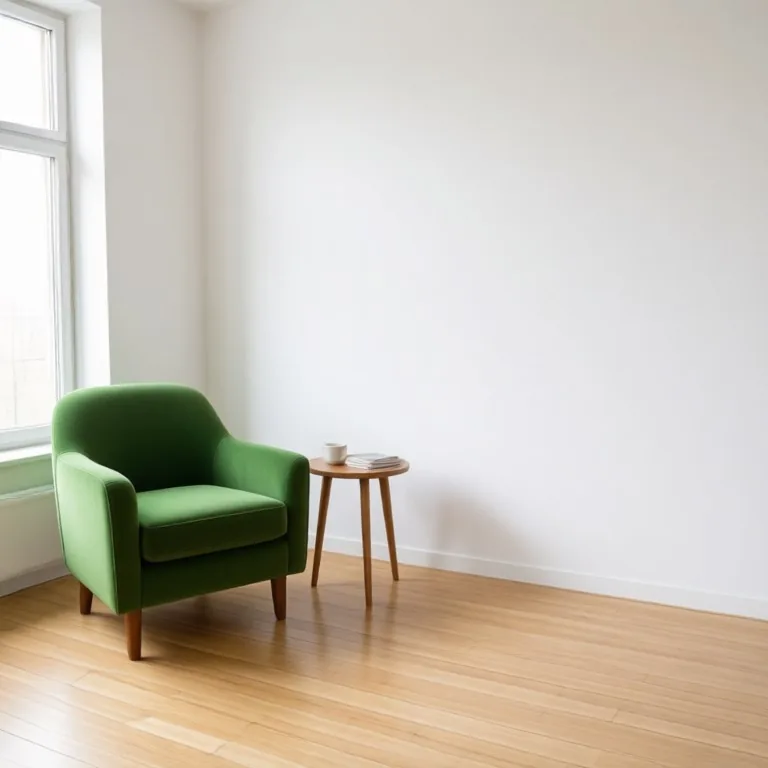
Move Object In Photo before — Green armchair and side table moved from the corner by the window to the right side of the room, with the empty corner filled inBefore
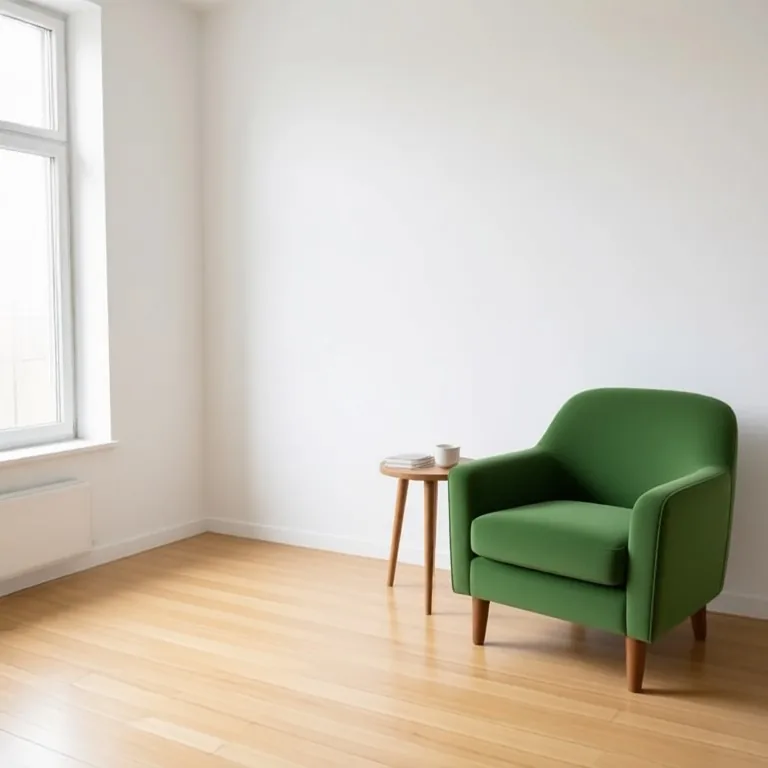
Move Object In Photo after — Green armchair and side table moved from the corner by the window to the right side of the room, with the empty corner filled inAfter
Green armchair and side table moved from the corner by the window to the right side of the room, with the empty corner filled in
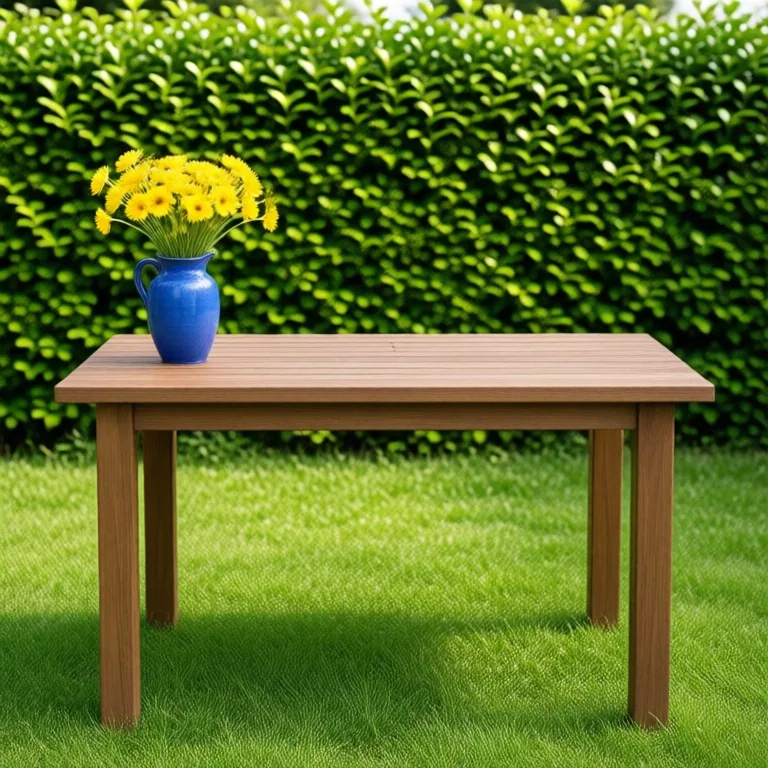
Move Object In Photo before — Blue vase of yellow flowers moved from the left end of a garden table to the right endBefore
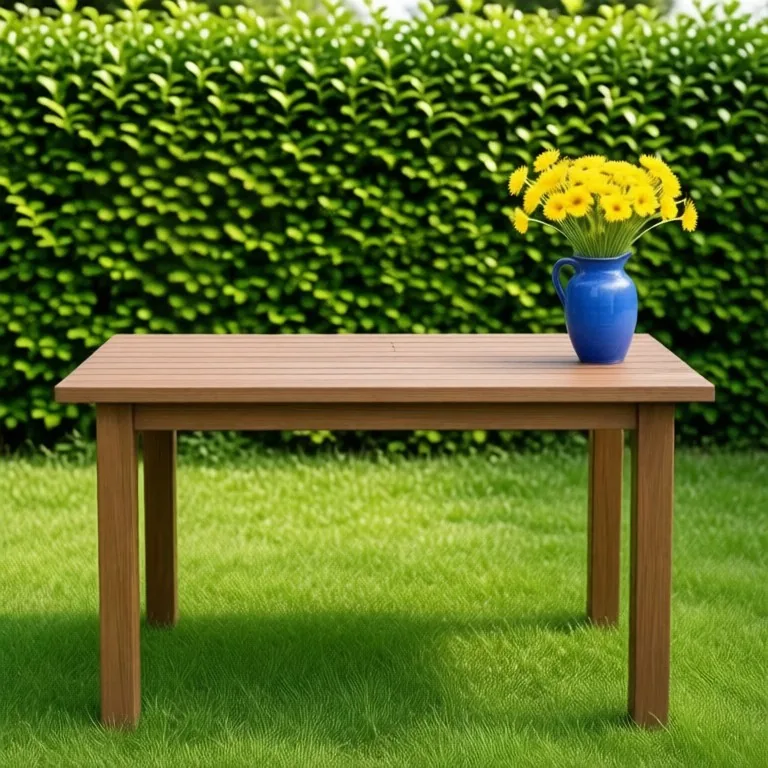
Move Object In Photo after — Blue vase of yellow flowers moved from the left end of a garden table to the right endAfter
Blue vase of yellow flowers moved from the left end of a garden table to the right end

Try these popular edits:

Move the chair to the centreShift the subject to the leftMove the vase further backReposition the sign lower downMove the car nearer the cameraSwap the two objects' positions

Why use Move Object In Photo?

↔️
Move Object In Photo
Reposition something inside a photo. The object moves to where you want it, resized for its new depth with a redrawn shadow, and the space it left behind is filled in with matching background.
🔄
Before & After Preview
See exactly how Move Object In Photo transforms your photo — compare original and edited side by side.
🆓
Free to Use
Move Object In Photo is free with no watermarks and no account required — edit as many photos as you like.
☁️
No Download Needed
Works entirely in your browser — no app or software installation required.

How it works

1
Upload Your Image
Select or drag & drop any photo you want to edit
2
Describe the Change
Tell the AI what to change in plain language
3
Get Instant Results
Download your edited image in seconds

Reposition something inside a photo. The object moves to where you want it, resized for its new depth with a redrawn shadow, and the space it left behind is filled in with matching background.

How the move object in photo works

Upload the photo and describe the object and its destination, for example 'move the chair from the left to the centre of the rug'. Mention whether it moves closer or further away, since that changes its size. Run the tool and check both the new position and the old one for leftovers. Refine the wording and run again on the same upload until both areas look clean.

Tips for the best results

Name the object and both positions clearly. Say whether it should get bigger or smaller, since moving toward the camera means rescaling. Ask for the shadow to be redrawn for the new spot and for the vacated area to be rebuilt. Simple backgrounds fill in most cleanly.

Move objects in a photo online free: what you can reposition

Upload a photo and say what to move and where: "move the chair to the middle of the room", "slide the vase to the centre of the table", "bring the bike closer to the camera" or "swap the lamp and the plant". The object mover keeps the object the same, resizes it for its new spot, draws a new shadow under it, and fills the place it left with the floor, wall or table that should be behind it. It works for furniture, decor, products on a table, a parked car or bike, a sign or a pet, so you can move objects in a photo online free in your browser without masking or cloning by hand.

Frequently asked questions

Ready to try Move Object In Photo?

Free, instant, and no signup needed.