Free AI Image Editor — No Signup Required

Photo Glare Remover: Fix Reflections on Product Photos Free

Removes glare, reflections and shiny hotspots from product photos for Etsy, Shopify and Amazon sellers, free and with no signup.

Free · Instant · No registration

Real results from Photo Glare Remover

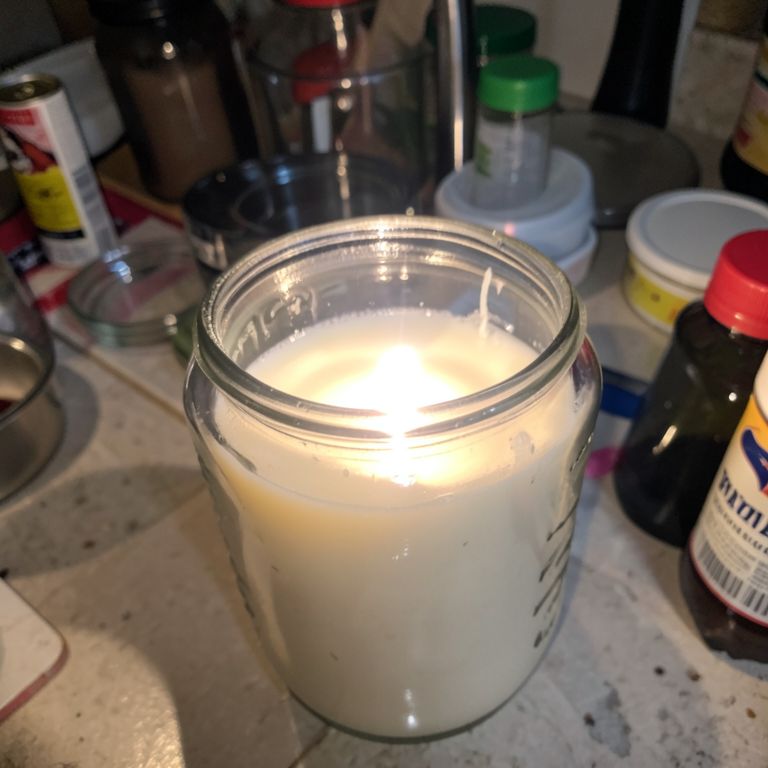
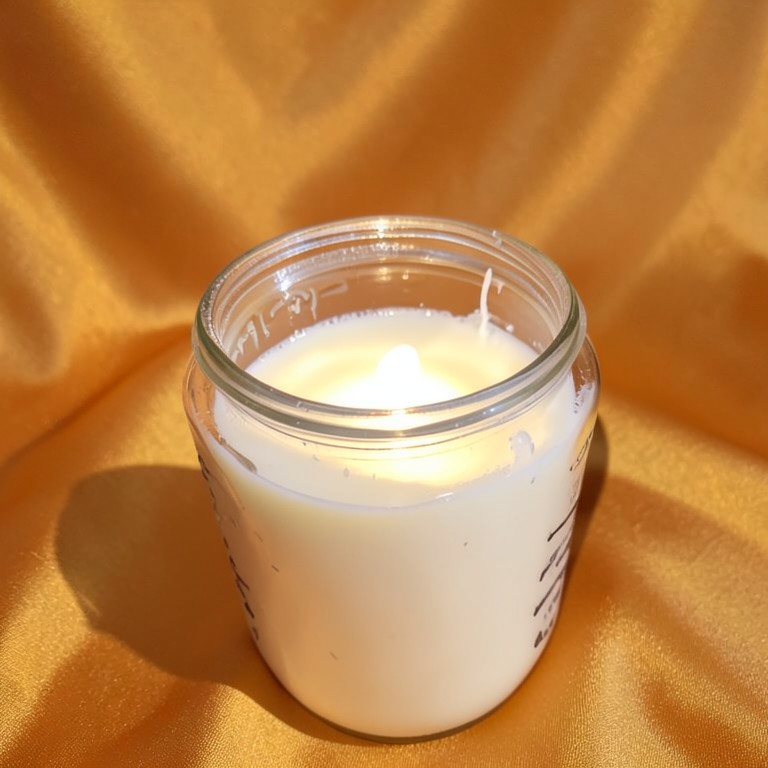
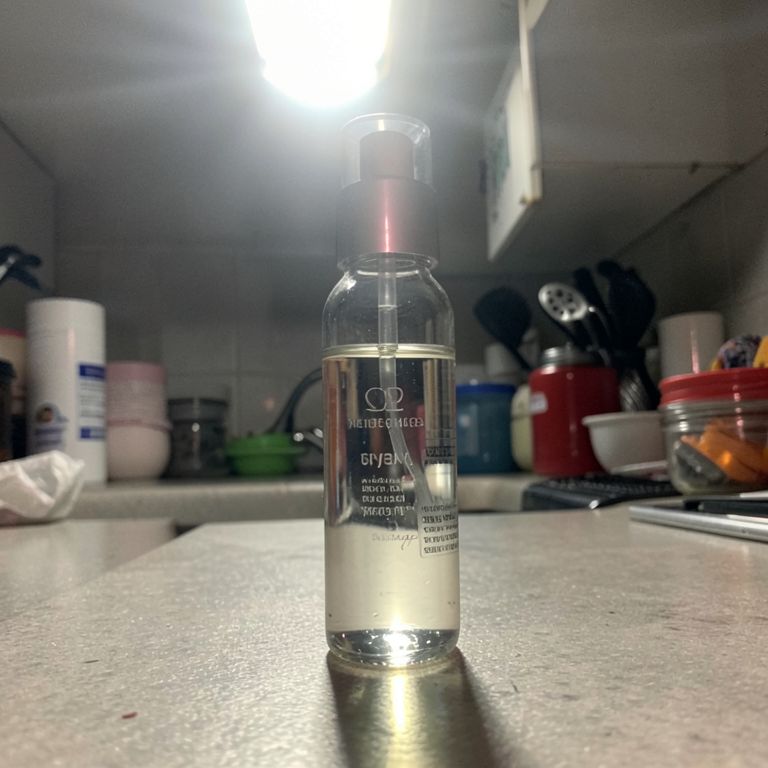
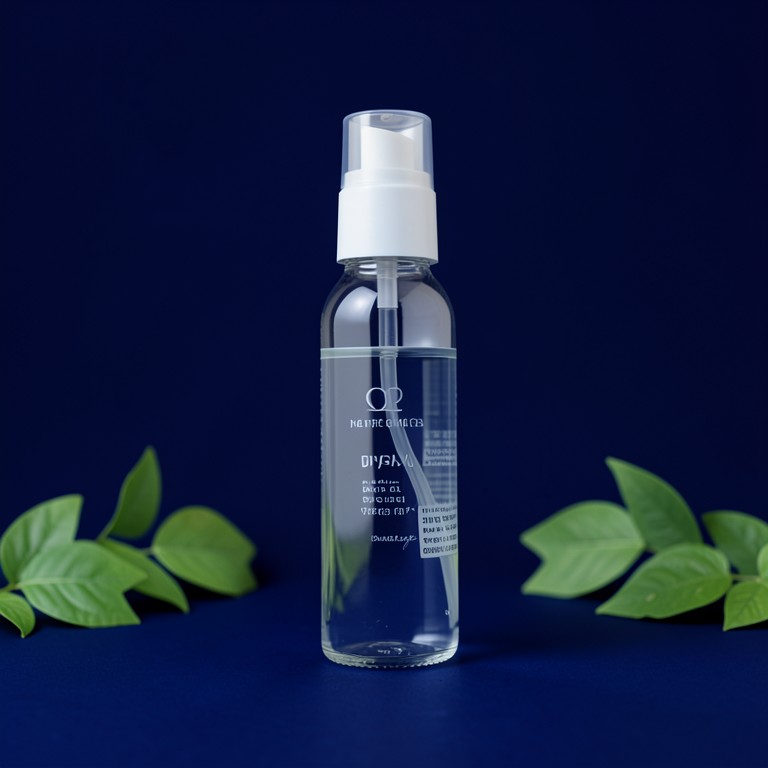
Actual unedited outputs — upload your photo and get the same in seconds.

Photo Glare Remover before — original photoBefore
Photo Glare Remover after — AI-edited photoAfter
Photo Glare Remover before — original photoBefore
Photo Glare Remover after — AI-edited photoAfter

Try these popular edits:

Remove glare from this candle jar photoFix the shiny hotspot on this skincare bottleTake the reflection off this ring photoClean up glare on this glossy phone case

Why use Photo Glare Remover?

Photo Glare Remover
Removes glare, reflections and shiny hotspots from product photos for Etsy, Shopify and Amazon sellers, free and with no signup.
🔄
Before & After Preview
See exactly how Photo Glare Remover transforms your photo — compare original and edited side by side.
🆓
Free to Use
Photo Glare Remover is free with no watermarks and no account required — edit as many photos as you like.
☁️
No Download Needed
Works entirely in your browser — no app or software installation required.

How it works

1
Upload Your Image
Select or drag & drop any photo you want to edit
2
Describe the Change
Tell the AI what to change in plain language
3
Get Instant Results
Download your edited image in seconds

Photo Glare Remover is a free AI tool that erases glare, light hotspots, and reflections from product photos in one upload. It's built for Etsy, Shopify, and Amazon sellers photographing shiny items like jewelry, candles, glass, and skincare bottles on a phone, without any studio lighting setup.

Why glare ruins product listings

Kitchen-table lighting bounces off glass candle jars, metal jewelry, and glossy skincare packaging, leaving harsh white blotches that hide product details. Buyers read glare as amateur or unedited, which hurts trust and conversion. Cropping or angling around the glare often isn't enough once it's already baked into the shot. This tool targets just the reflective spots and blends them back into the material naturally.

Tips for the cleanest results

Upload the highest-resolution version of your photo you have, since more detail helps the AI match texture around the glare. If a photo has several separate hotspots, like on a ring with multiple facets, run it through once and check each spot before downloading. Photos with moderate glare on a clear surface, such as glass or glossy plastic, produce the most convincing edits. Very washed-out overexposed shots may still need reshooting rather than fixing.

Where this fits in your workflow

Use it right after shooting jewelry, candles, or skincare bottles under a window or ring light where reflections are common. Dropshippers can run each new phone case or gadget photo through before batch-editing backgrounds elsewhere on SnapShelf Studio. Resellers photographing sequined or vinyl clothing can knock out flash glare before posting to Instagram or a Shopify listing.

1–3s
Generation time
100%
Free to use
60+
AI tools available

Frequently asked questions

Ready to try Photo Glare Remover?

Free, instant, and no signup needed.