Free AI Image Editor — No Signup Required

Clothes on Model AI – Free Virtual Try-On Photo Generator

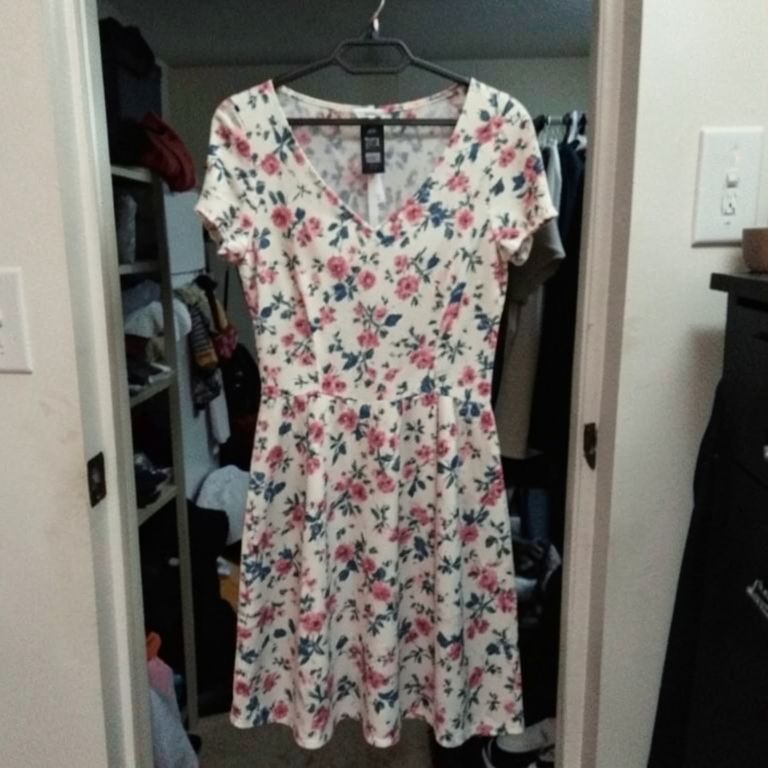
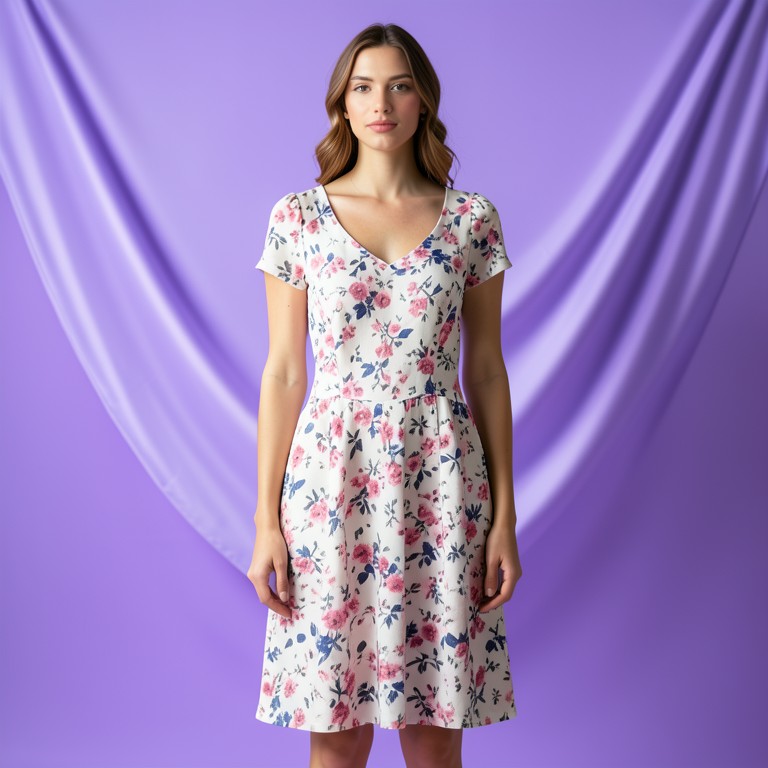
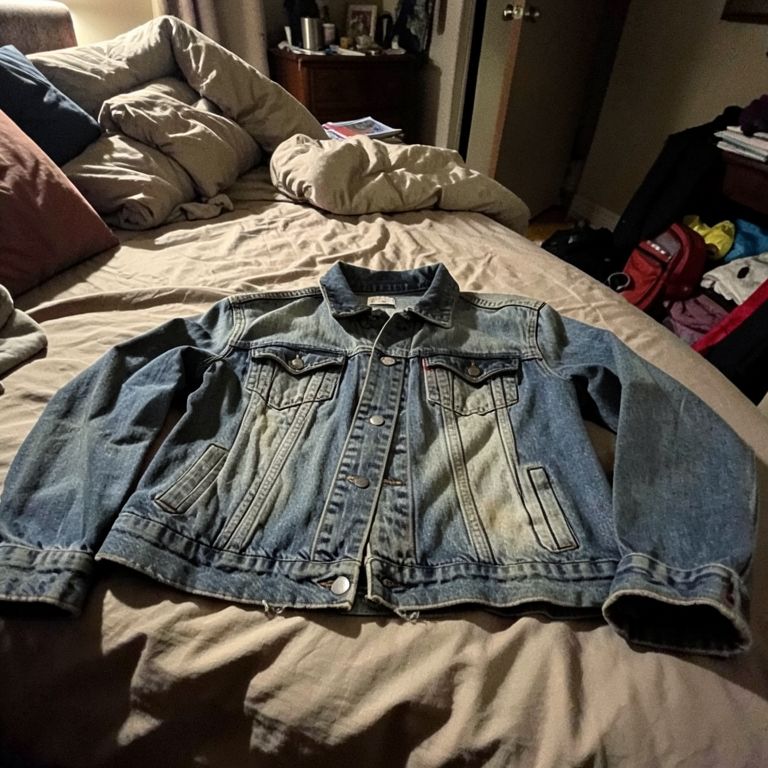
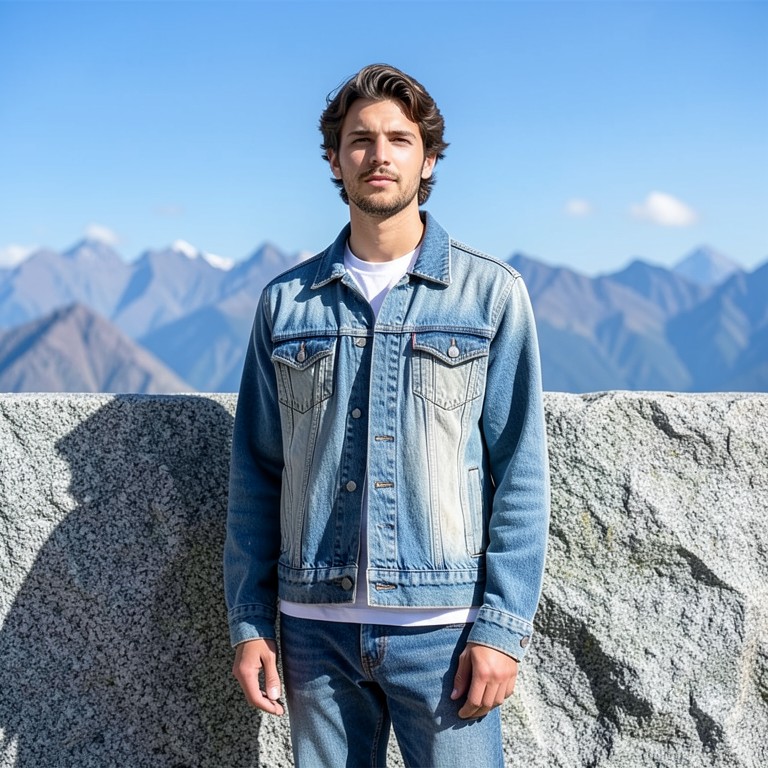
Turns a flat-lay or hanger clothing photo into a realistic on-model try-on shot for online clothing and vintage resellers.

Free · Instant · No registration

Real results from Clothes on Model AI

Actual unedited outputs — upload your photo and get the same in seconds.

Clothes on Model AI before — original photoBefore
Clothes on Model AI after — AI-edited photoAfter
Clothes on Model AI before — original photoBefore
Clothes on Model AI after — AI-edited photoAfter

Try these popular edits:

Put this dress on a female model, front viewShow this hoodie on a male model, studio backgroundVintage jacket on model, walking poseFlat-lay t-shirt to on-model shot, plain backdrop

Why use Clothes on Model AI?

👕
Clothes on Model AI
Turns a flat-lay or hanger clothing photo into a realistic on-model try-on shot for online clothing and vintage resellers.
🔄
Before & After Preview
See exactly how Clothes on Model AI transforms your photo — compare original and edited side by side.
🆓
Free to Use
Clothes on Model AI is free with no watermarks and no account required — edit as many photos as you like.
☁️
No Download Needed
Works entirely in your browser — no app or software installation required.

How it works

1
Upload Your Image
Select or drag & drop any photo you want to edit
2
Describe the Change
Tell the AI what to change in plain language
3
Get Instant Results
Download your edited image in seconds

Clothes on Model AI turns a flat-lay, hanger, or mannequin photo into a realistic on-model try-on image. It's built for Instagram and TikTok resellers, vintage sellers, and small clothing brands who need scroll-stopping shots without booking a model or studio.

Why on-model shots sell more clothing

Flat-lay and hanger photos make it hard for buyers to picture fit, drape, and scale. A model shot answers those questions instantly and reads as more professional than a bedroom mirror selfie. This tool gives resellers and small brands that upgrade without hiring anyone or scheduling a shoot.

Tips for a clean try-on result

Use a well-lit, flat, and uncluttered photo of the garment with no wrinkles or stray objects in frame. Photograph the item straight-on, filling most of the frame, so the AI has a clear read on its shape and pattern. Try a couple of pose or angle prompts if the first result looks stiff or the fabric drape looks off.

Where sellers use this

Vintage and thrift resellers turn hanger photos into try-on shots for Instagram and TikTok Shop listings. Small clothing brands use it to show new drops on a model before committing to a full photoshoot. Dropshippers with dozens of apparel SKUs use it to add consistent model shots across a catalog quickly.

1–3s
Generation time
100%
Free to use
60+
AI tools available

Frequently asked questions

Ready to try Clothes on Model AI?

Free, instant, and no signup needed.