Free AI Image Editor — No Signup Required

Candle Lifestyle Scene Generator: Free AI Photo Tool

Places an uploaded candle photo into a cozy, spa, or rustic lifestyle scene for Etsy and Shopify sellers, free.

Free · Instant · No registration

Real results from Candle Lifestyle Scene Generator

Actual unedited outputs — upload your photo and get the same in seconds.

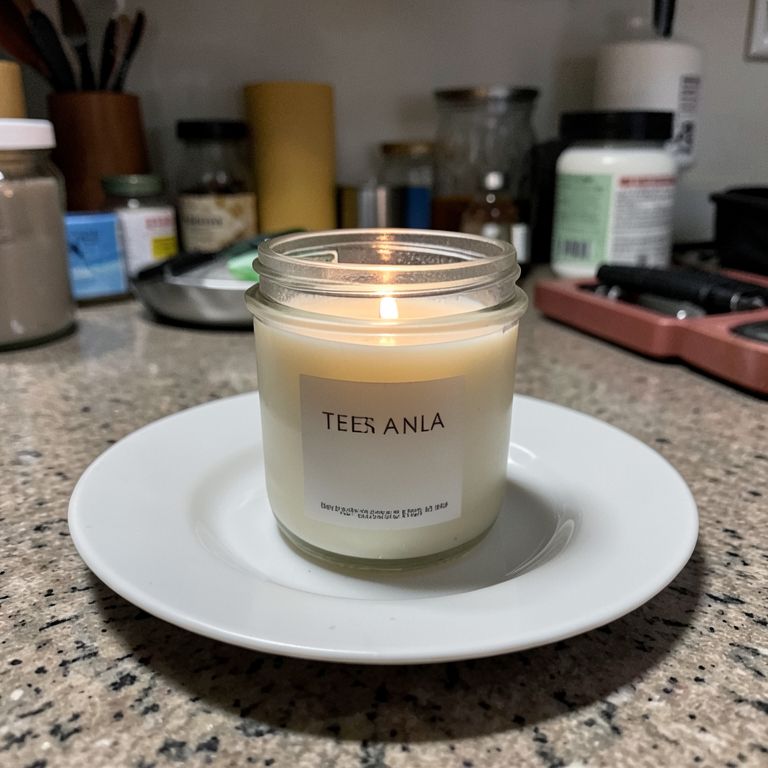
Candle Lifestyle Scene Generator before — original photoBefore
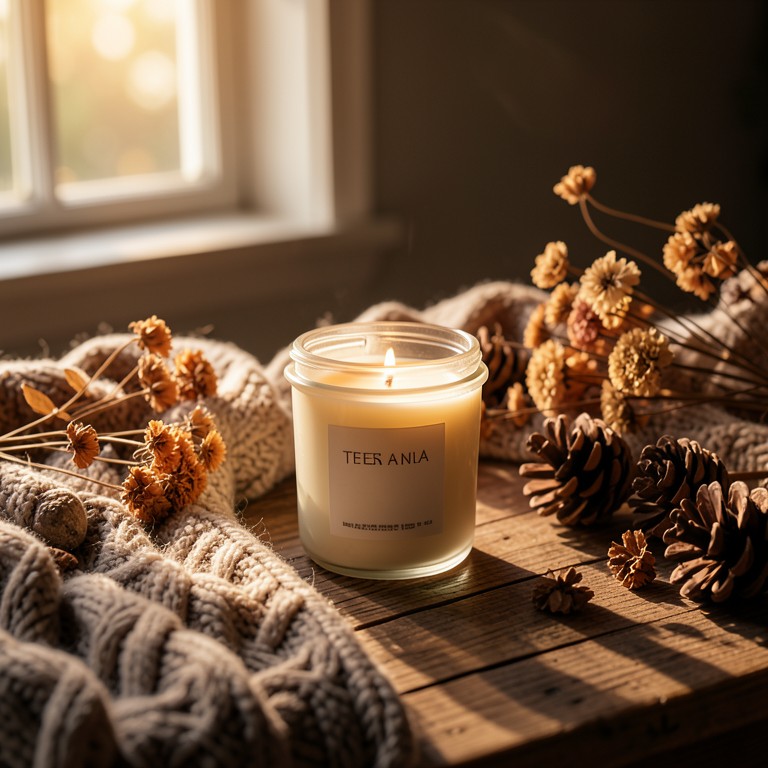
Candle Lifestyle Scene Generator after — AI-edited photoAfter

Try these popular edits:

Put my jar candle on a rustic wood tableAdd cozy autumn shelf styling with pineconesPlace my tin candle in a spa bathroom sceneShow my taper candle lit with soft shadow play

Why use Candle Lifestyle Scene Generator?

🕯️
Candle Lifestyle Scene Generator
Places an uploaded candle photo into a cozy, spa, or rustic lifestyle scene for Etsy and Shopify sellers, free.
🔄
Before & After Preview
See exactly how Candle Lifestyle Scene Generator transforms your photo — compare original and edited side by side.
🆓
Free to Use
Candle Lifestyle Scene Generator is free with no watermarks and no account required — edit as many photos as you like.
☁️
No Download Needed
Works entirely in your browser — no app or software installation required.

How it works

1
Upload Your Image
Select or drag & drop any photo you want to edit
2
Describe the Change
Tell the AI what to change in plain language
3
Get Instant Results
Download your edited image in seconds

The Candle Lifestyle Scene Generator takes a photo of your jar, tin, taper, or wax melt and drops it into a candle-specific setting like a cozy autumn shelf or a spa bathroom backdrop. It's built for Etsy sellers, Shopify candle brands, and hobbyists who need catalog-ready shots without a studio or a photographer.

Built for Candle Formats, Not Generic Props

Unlike general AI photo apps trained on fruit bowls and flowers, this tool understands glass jars, wax pools, wicks, and flame glow. It keeps your label, wax color, and jar shape intact while changing only the surrounding scene. That means no melted-looking wax or warped glass reflections in the final image.

Tips for the Best Results

Start with a clear, well-lit photo of your candle against any plain background so the AI can isolate it cleanly. Mention the specific format (jar, tin, taper, or melt) and the scene you want, like 'rustic wood table' or 'minimalist white e-commerce background.' If you want the wick lit, say so directly so the glow renders naturally instead of leaving the candle unlit.

Where Sellers Use This Tool

Etsy sellers use it to turn a kitchen-counter photo into a cozy shelfie for their shop banner. Subscription box curators generate a fresh lifestyle scene each month without booking a shoot. Wholesale makers create clean, uniform e-commerce backgrounds for Faire.com line sheets, and DTC brands launch new scent collections with matching styled photos in minutes.

1–3s
Generation time
100%
Free to use
60+
AI tools available

Frequently asked questions

Ready to try Candle Lifestyle Scene Generator?

Free, instant, and no signup needed.