Free AI Image Editor — No Signup Required

Candle Flame Glow Enhancer: Free AI Wick Glow Tool

Adds a realistic warm glow and soft bokeh to a lit candle's wick for Etsy and Shopify sellers, no photographer needed.

Free · Instant · No registration

Real results from Candle Flame Glow Enhancer

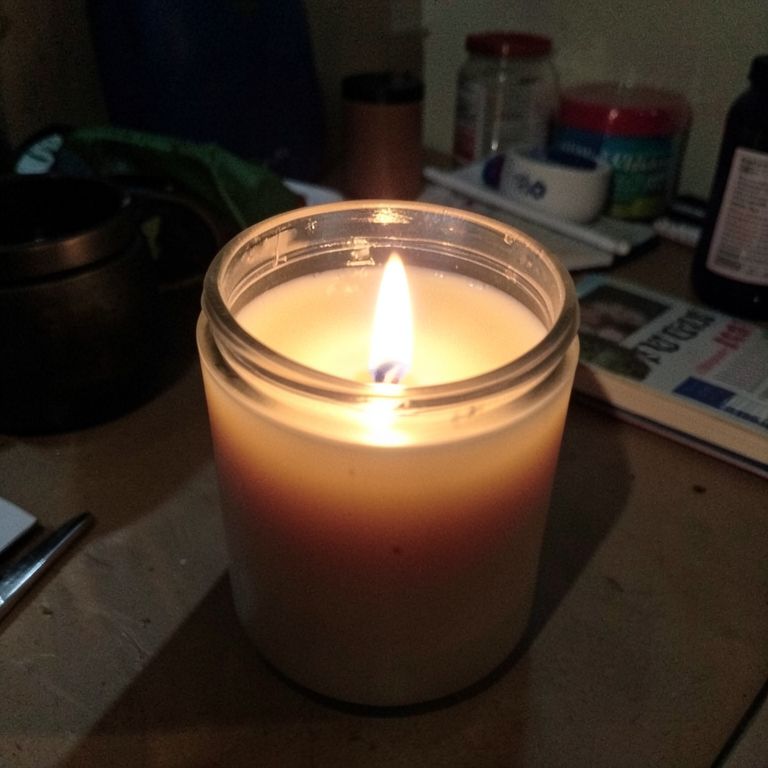
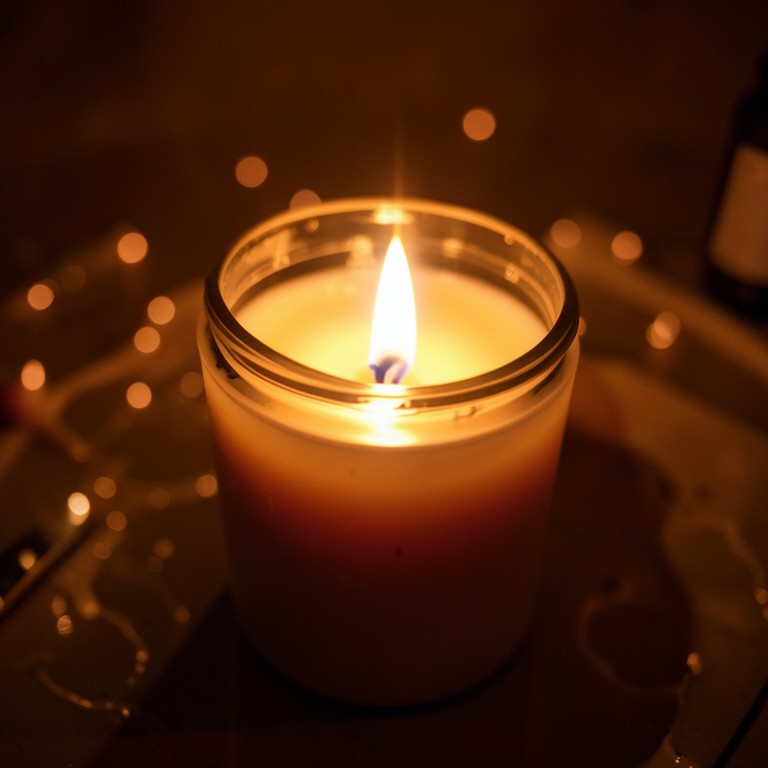
Actual unedited outputs — upload your photo and get the same in seconds.

Candle Flame Glow Enhancer before — original photoBefore
Candle Flame Glow Enhancer after — AI-edited photoAfter

Try these popular edits:

Make the flame glow warmer and softerAdd subtle bokeh around the lit wickFix the flat, flame that looks fakeEnhance glow without overexposing the jar

Why use Candle Flame Glow Enhancer?

🕯️
Candle Flame Glow Enhancer
Adds a realistic warm glow and soft bokeh to a lit candle's wick for Etsy and Shopify sellers, no photographer needed.
🔄
Before & After Preview
See exactly how Candle Flame Glow Enhancer transforms your photo — compare original and edited side by side.
🆓
Free to Use
Candle Flame Glow Enhancer is free with no watermarks and no account required — edit as many photos as you like.
☁️
No Download Needed
Works entirely in your browser — no app or software installation required.

How it works

1
Upload Your Image
Select or drag & drop any photo you want to edit
2
Describe the Change
Tell the AI what to change in plain language
3
Get Instant Results
Download your edited image in seconds

The Candle Flame Glow Enhancer takes a photo of your lit candle and adds a realistic, warm glow with soft bokeh around the wick. It's built for candle sellers who want their flame to look inviting in photos instead of flat or blown out.

Why Flames Look Fake in DIY Photos

Phone cameras often flatten or overexpose a lit wick, turning a cozy flame into a harsh white blob with no warmth. Generic AI photo apps aren't trained on how flame light actually falls off across wax and glass, so edits look pasted on. This tool focuses on one job: making the glow around your wick look believable, with light that fades naturally instead of looking painted in. It respects reflections on jars and tins instead of smearing them.

Tips for a Believable Glow

Upload a photo where the wick and flame are clearly visible, even if small or slightly overexposed. Shoot in a dim or evenly lit room so the AI has real shadow detail to build the glow from. Avoid heavily edited or filtered photos beforehand, since added contrast can confuse the glow placement. For jar candles, keep the glass in frame so light falloff on the container looks natural.

Where This Fits Your Photo Workflow

Use it on a kitchen-counter shot of a jar candle before adding it to an autumn styled listing photo. Wholesale makers can run it across taper candle shots to keep flame glow consistent for a line sheet. Subscription box curators can refresh a lifestyle shot each month by re-lighting the same product photo digitally. Etsy sellers can fix a single overexposed flame instead of rescheduling a whole reshoot.

1–3s
Generation time
100%
Free to use
60+
AI tools available

Frequently asked questions

Ready to try Candle Flame Glow Enhancer?

Free, instant, and no signup needed.