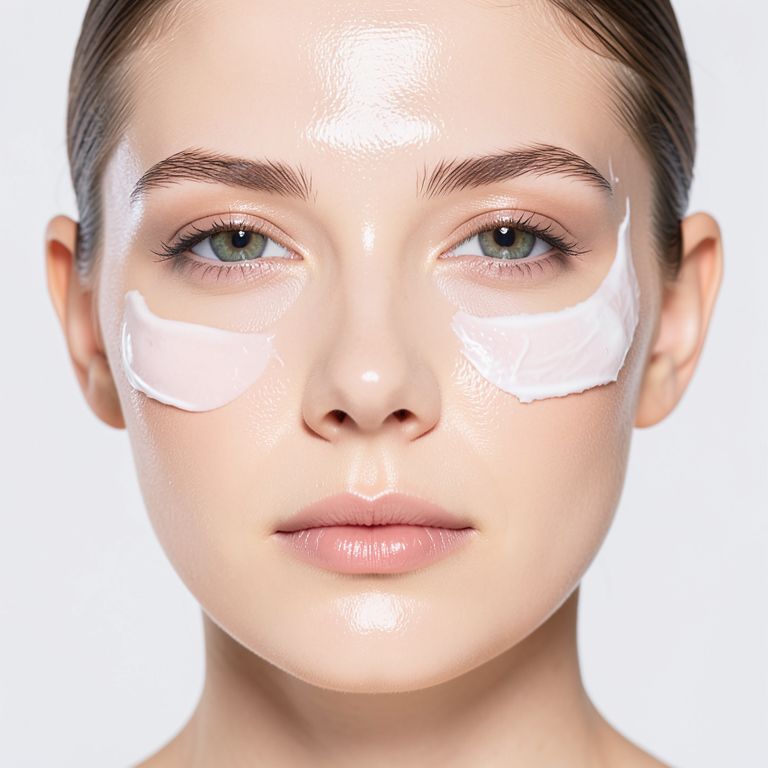
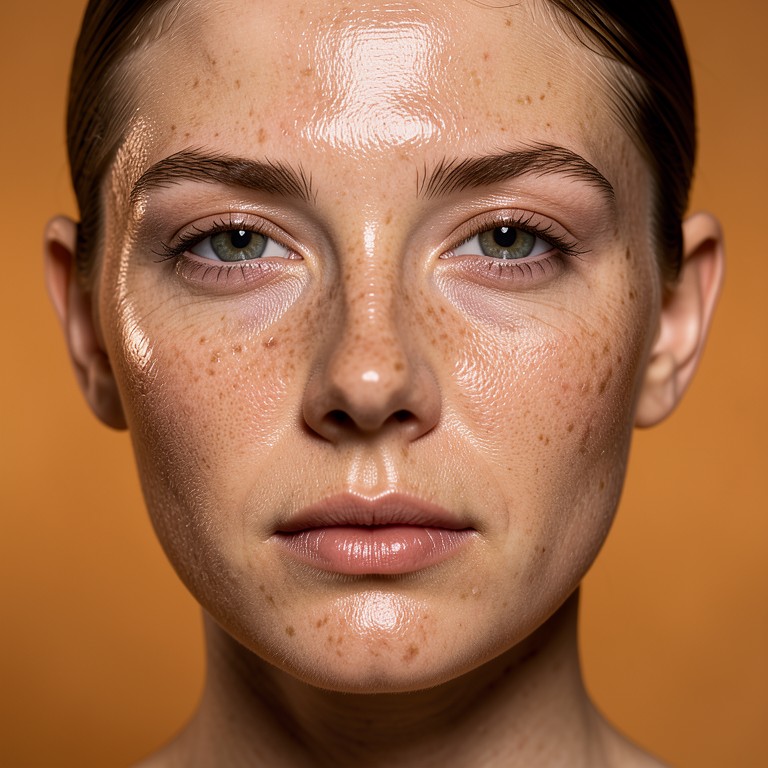
This tool fixes the smooth, plastic look common in AI-generated model photos by adding realistic pores and natural skin texture. It's built for skincare and cosmetics brand founders who use AI model images for product listings and ads but need the skin to look believable instead of artificial.
Why AI Skin Looks Plastic
AI image generators often smooth out skin completely, producing a waxy, unrealistic finish that undermines trust in product photos. This is especially noticeable in close-up beauty and skincare shots where skin texture matters. The AI Skin Texture Enhancer adds back the pores, fine lines, and tonal variation that real skin has. This helps model photos pass as authentic rather than obviously AI-made.
Tips for Best Results
Upload a clear, well-lit photo where the face or skin area is the main focus for the most accurate texture results. Close-up shots of skin, like a face or hand holding a skincare bottle, benefit most from this fix. Avoid heavily filtered or low-resolution source images, since the tool works best when it can see clear skin detail to enhance. Download and compare a few versions if you're using the image for a hero product shot.
Common Use Cases
Skincare and cosmetics founders use this to make AI-generated model photos look credible enough for product pages and ads. Small brands competing with bigger companies use it to avoid the 'obviously AI' look that can hurt trust in beauty products specifically. It also helps sellers who generate lifestyle shots of models using their product, like holding a candle or wearing jewelry, where skin realism affects believability.