Free AI Image Editor — No Signup Required

AI Pose Changer – Edit Model Poses in Product Photos Free

Change a model's pose in a clothing or product photo while keeping their face, body, and outfit exactly the same — free for resellers.

Free · Instant · No registration

Real results from AI Pose Changer

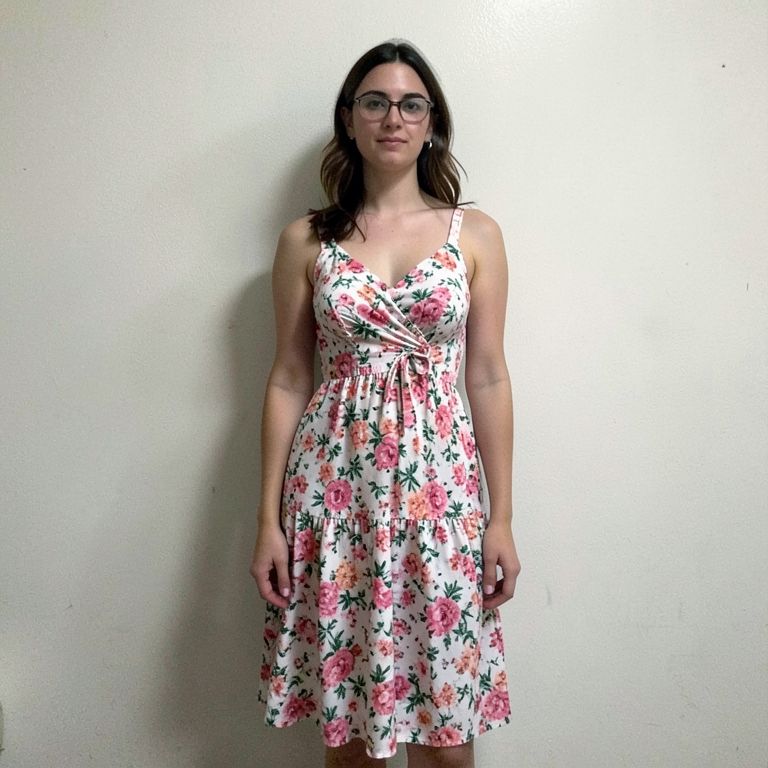
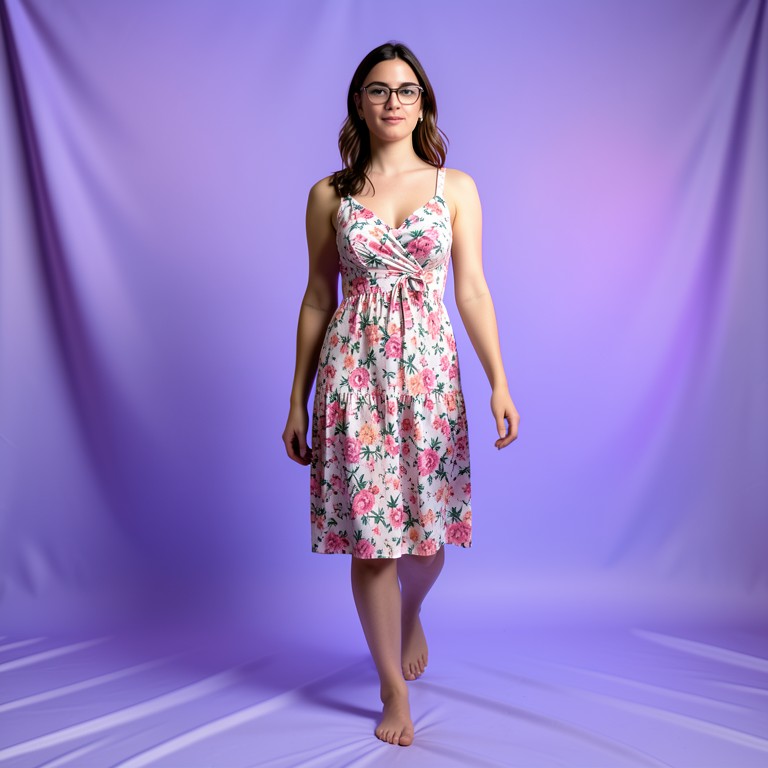
Actual unedited outputs — upload your photo and get the same in seconds.

AI Pose Changer before — original photoBefore
AI Pose Changer after — AI-edited photoAfter

Try these popular edits:

Turn this standing pose into a walking poseMake the model face slightly to the sideChange to a seated pose for this dressGive a hand-on-hip pose for this jacket photo

Why use AI Pose Changer?

🕺
AI Pose Changer
Change a model's pose in a clothing or product photo while keeping their face, body, and outfit exactly the same — free for resellers.
🔄
Before & After Preview
See exactly how AI Pose Changer transforms your photo — compare original and edited side by side.
🆓
Free to Use
AI Pose Changer is free with no watermarks and no account required — edit as many photos as you like.
☁️
No Download Needed
Works entirely in your browser — no app or software installation required.

How it works

1
Upload Your Image
Select or drag & drop any photo you want to edit
2
Describe the Change
Tell the AI what to change in plain language
3
Get Instant Results
Download your edited image in seconds

AI Pose Changer lets clothing and vintage resellers change how a model stands or moves in a photo without reshooting. Upload one photo, describe the new pose, and download a version with the same face, outfit, and identity but a fresh angle — 100% free, no signup.

Why resellers need pose variety

Listings with only one static pose per item look flat and repetitive across a feed or storefront. Shoppers want to see how clothing moves and fits from different angles before buying. Reshooting every pose with a model or photographer takes time and money most solo resellers don't have. AI Pose Changer lets you generate multiple believable poses from a single photo shoot.

Tips for realistic pose edits

Start with a clear, well-lit photo where the model's full body and outfit are visible. Describe the pose simply, like 'turn to the side' or 'sit on a chair,' rather than vague terms. Avoid asking for extreme or unnatural poses, since the AI works best with realistic human movement. Keep clothing details visible in the original photo so they carry over accurately.

Where this fits your workflow

Turn one clothing photoshoot into several product angles for your Shopify or Instagram shop without booking a second session. Reuse a single model photo across multiple pose variations for TikTok Shop or Depop listings. Give jewelry or accessory shots more life by adjusting how a model wears or holds an item. Save the pose you like most and pair it with SnapShelf's other tools for backgrounds and product shots.

1–3s
Generation time
100%
Free to use
60+
AI tools available

Frequently asked questions

Ready to try AI Pose Changer?

Free, instant, and no signup needed.