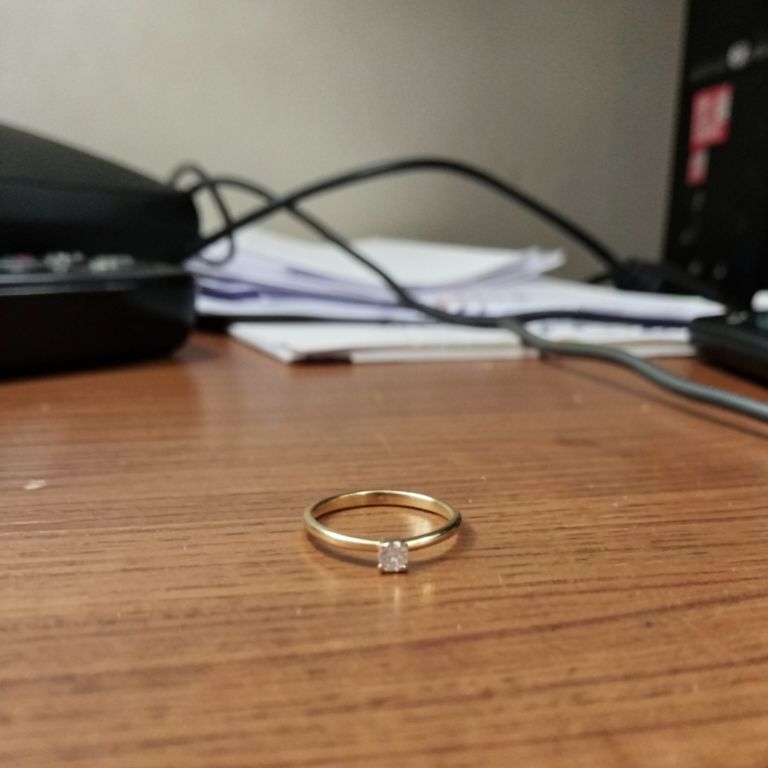
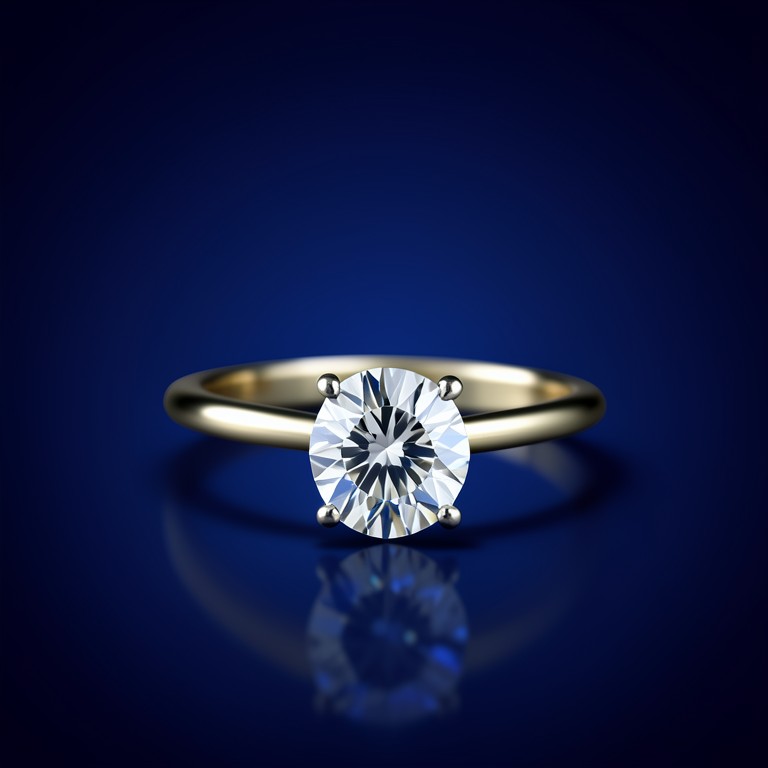
AI Jewelry Studio Backdrop swaps a plain or cluttered jewelry photo for a clean gradient studio backdrop with realistic soft shadows and reflections. It's built for Etsy and Shopify jewelry sellers who shoot on a kitchen counter but need listing photos that look like they came from a professional studio.
Why jewelry needs a dedicated backdrop tool
Rings, necklaces, and earrings rely on clean reflections and soft shadows to look valuable — generic background removers often leave harsh edges or flat, shadowless cutouts. This tool is tuned specifically for metal and gemstone surfaces, adding a gradient backdrop plus a shadow and reflection that match the piece's own lighting. That keeps small details like prongs and chain links crisp instead of getting smoothed over. The result reads as a boutique catalog shot, not an obvious cutout.
Tips for the best results
Shoot your jewelry on a plain surface with even, diffused light to avoid harsh glare on metal or stones. Fill the frame with the piece so the AI has enough detail to build an accurate shadow and reflection. Avoid extreme close-ups that cut off clasps or edges, since the backdrop blend works best with the full item visible.
Where to use it
Use it for Etsy and Amazon jewelry listings that need a consistent white or gradient background across dozens of SKUs. It's also handy for refreshing older phone photos before a seasonal sale, or building a matching product grid for an Instagram shop without renting studio time.