Free AI Image Editor — No Signup Required

Car Color Changer – Free AI Tool to Change Vehicle Color

Change a car’s color in a photo instantly for free, ideal for car collectors, photographers, and advertisers.

Free · Instant · No registration

Create your own

Real results from Car Color Changer

Actual unedited outputs — upload your photo and get the same in seconds.

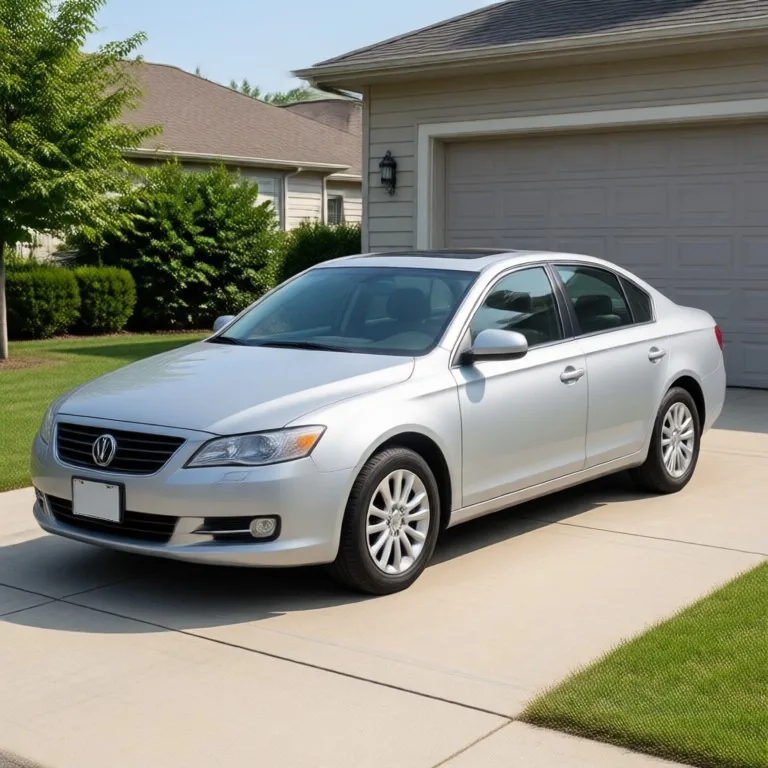
Car Color Changer before — Silver sedan in a driveway changed to deep glossy candy red, wheels and windows unchangedBefore
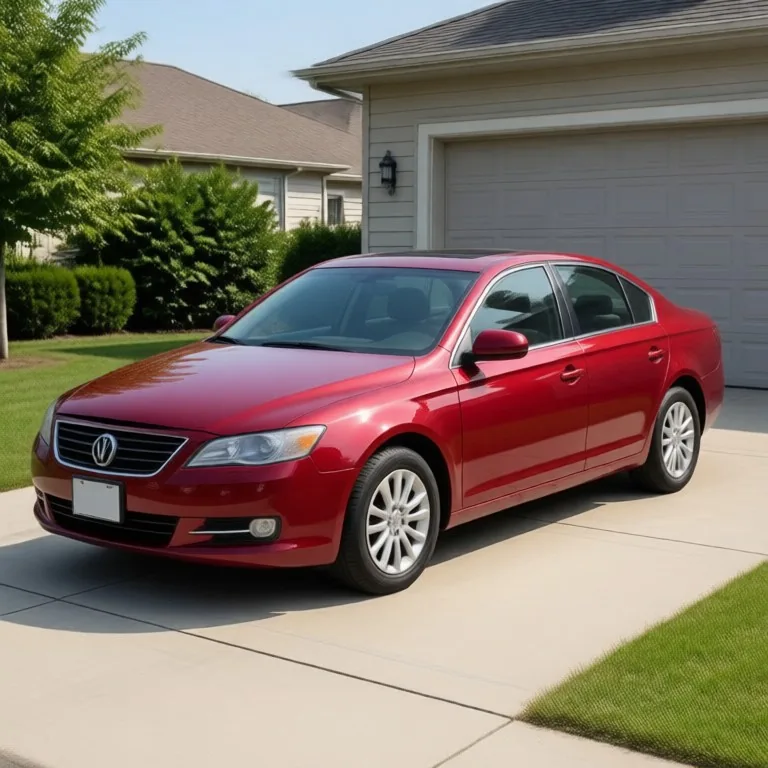
Car Color Changer after — Silver sedan in a driveway changed to deep glossy candy red, wheels and windows unchangedAfter
Silver sedan in a driveway changed to deep glossy candy red, wheels and windows unchanged
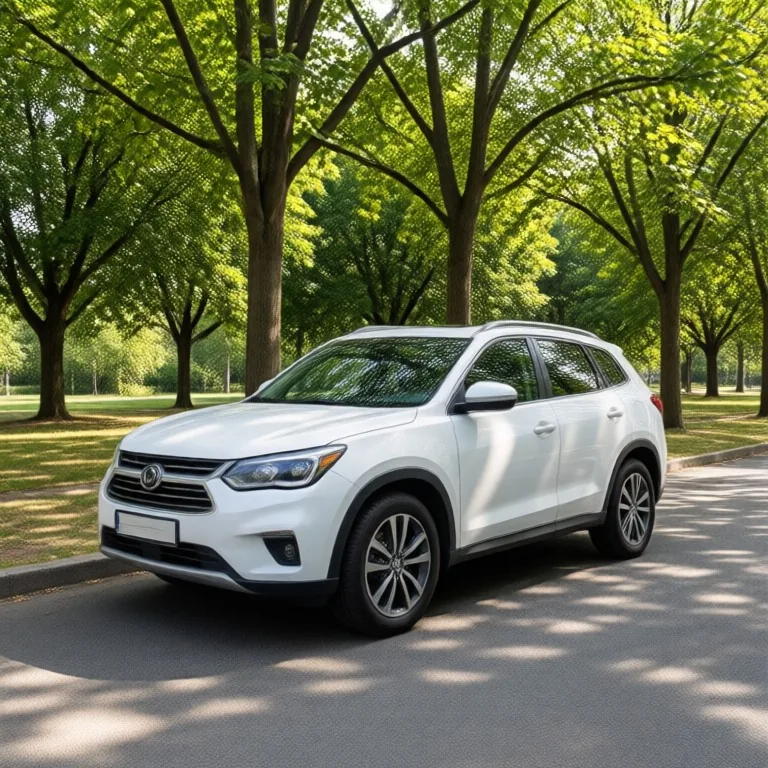
Car Color Changer before — White SUV on a tree-lined street changed to a matte black finishBefore
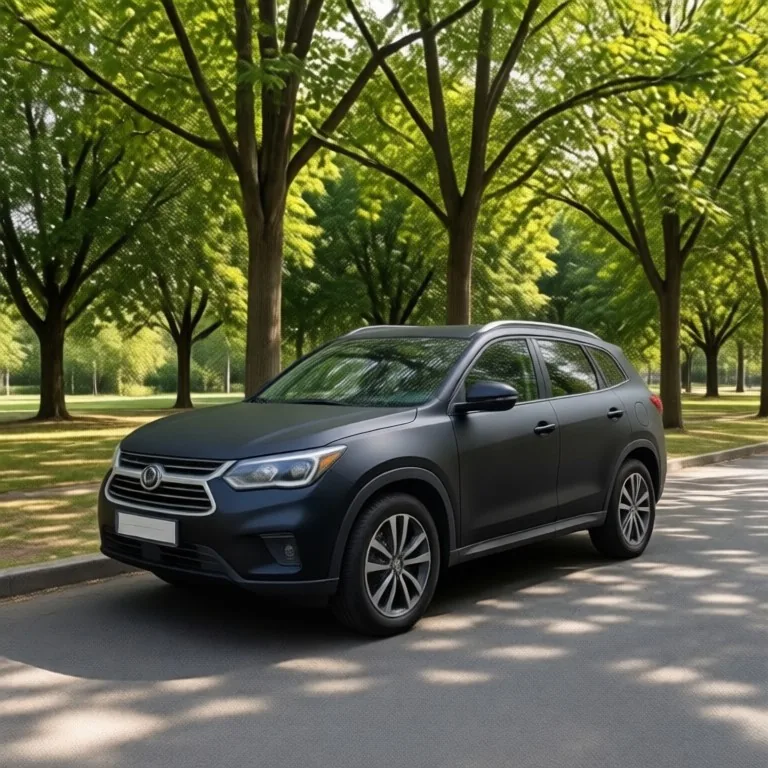
Car Color Changer after — White SUV on a tree-lined street changed to a matte black finishAfter
White SUV on a tree-lined street changed to a matte black finish

Try these popular edits:

Make the car redChange the car to matte blackGive the car a glossy silver finishTurn the car into a bright blue

Why use Car Color Changer?

✨
Car Color Changer
Change a car’s color in a photo instantly for free, ideal for car collectors, photographers, and advertisers.
🔄
Before & After Preview
See exactly how Car Color Changer transforms your photo — compare original and edited side by side.
🆓
Free to Use
Car Color Changer is free with no watermarks and no account required — edit as many photos as you like.
☁️
No Download Needed
Works entirely in your browser — no app or software installation required.

How it works

1
Upload Your Image
Select or drag & drop any photo you want to edit
2
Describe the Change
Tell the AI what to change in plain language
3
Get Instant Results
Download your edited image in seconds

Car Color Changer lets you change the paint of any vehicle in a photo in just seconds. It’s free, requires no account, and works for car collectors, photographers, and marketers who need quick visual tweaks.

How It Works

Upload a photo of the vehicle and describe the new color. The AI replaces the original paint while preserving shadows, highlights, and reflections. The result keeps the car’s shape and background intact. No manual editing needed.

Tips for Best Results

Use high‑resolution images so the AI can detect edges accurately. Keep the car’s lighting consistent with the new color you want. Avoid heavily textured or reflective surfaces that can confuse the algorithm. Describe color terms clearly, such as "matte red" or "glossy silver".

Who Can Benefit

Car enthusiasts want to preview different colors before buying. Photographers can create multiple color options for clients. Marketers can generate eye‑catching images for ads without hiring a designer. Hobbyists enjoy experimenting with creative looks.

Car color change simulator: colors and finishes to try

Upload a photo of your car and name a color and a finish: "glossy candy red", "matte black", "metallic midnight blue", "pearl white", "satin olive green" or "nardo grey". The car color changer repaints only the body and keeps the wheels, glass, lights, badges and the background as they are, with reflections that match the new paint. Use it to change car colour online free and compare a respray or a wrap before you book one.

Frequently asked questions

Ready to try Car Color Changer?

Free, instant, and no signup needed.