Free AI Image Editor — No Signup Required

Door Color Changer – Edit Door Colors in Photos

Easily change a door’s color in any photo to any shade you want, for homeowners, designers and real‑estate agents.

Free · Instant · No registration

Create your own

Real results from Door Color Changer

Actual unedited outputs — upload your photo and get the same in seconds.

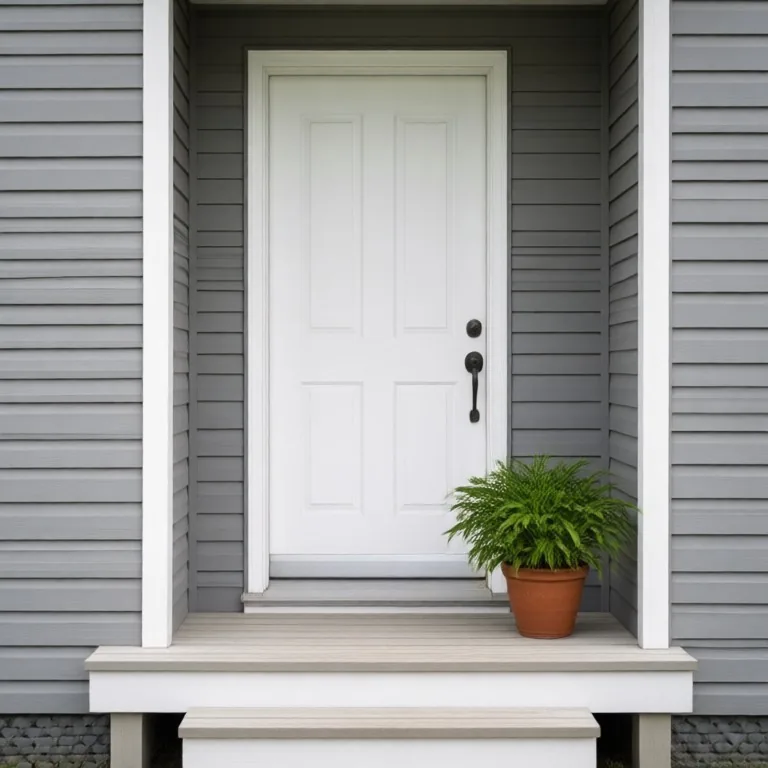
Door Color Changer before — Plain white front door on a grey house painted deep forest green, handle and porch unchangedBefore
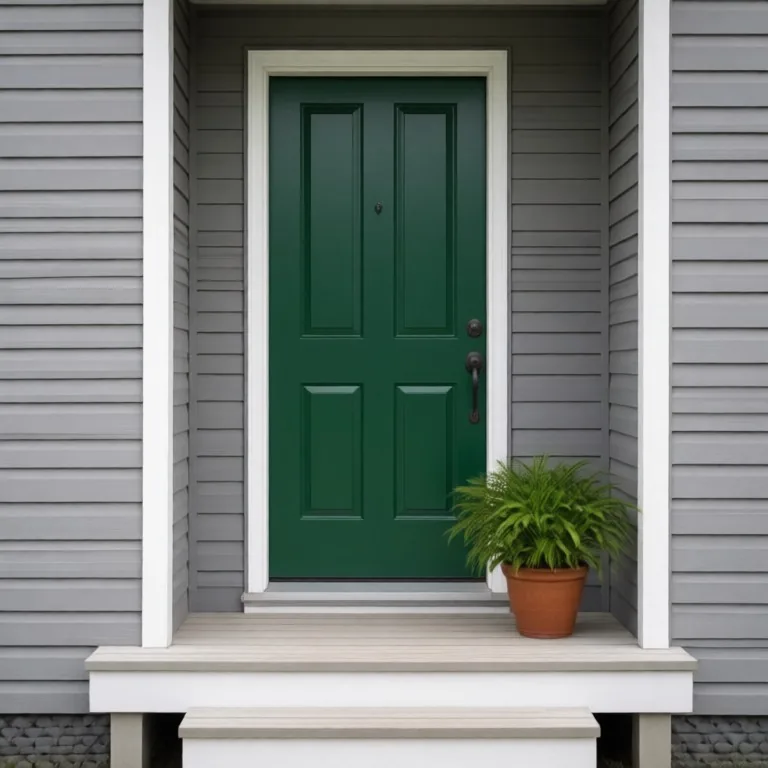
Door Color Changer after — Plain white front door on a grey house painted deep forest green, handle and porch unchangedAfter
Plain white front door on a grey house painted deep forest green, handle and porch unchanged
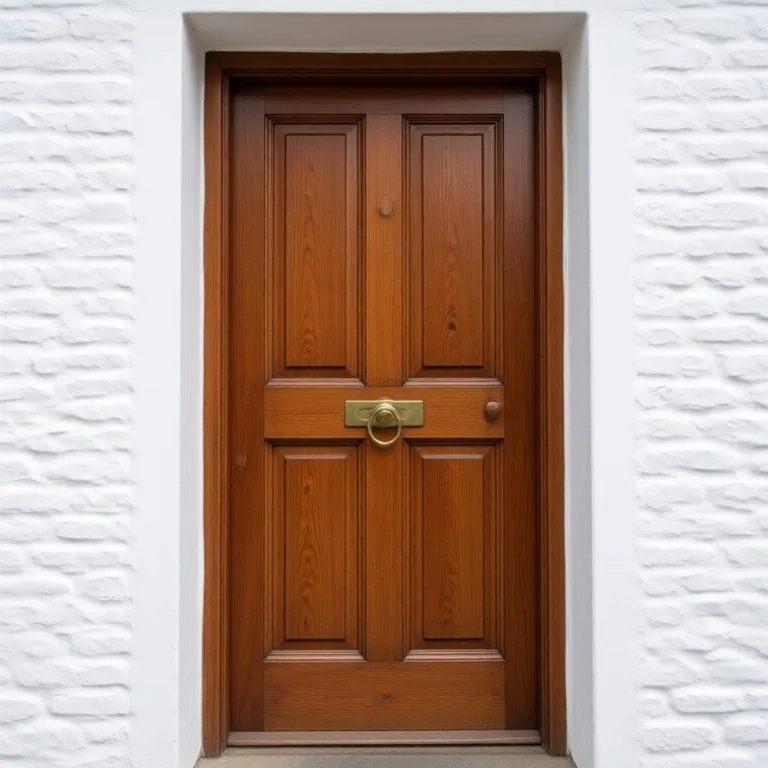
Door Color Changer before — Varnished wooden front door painted navy blue, with the brass knocker keptBefore
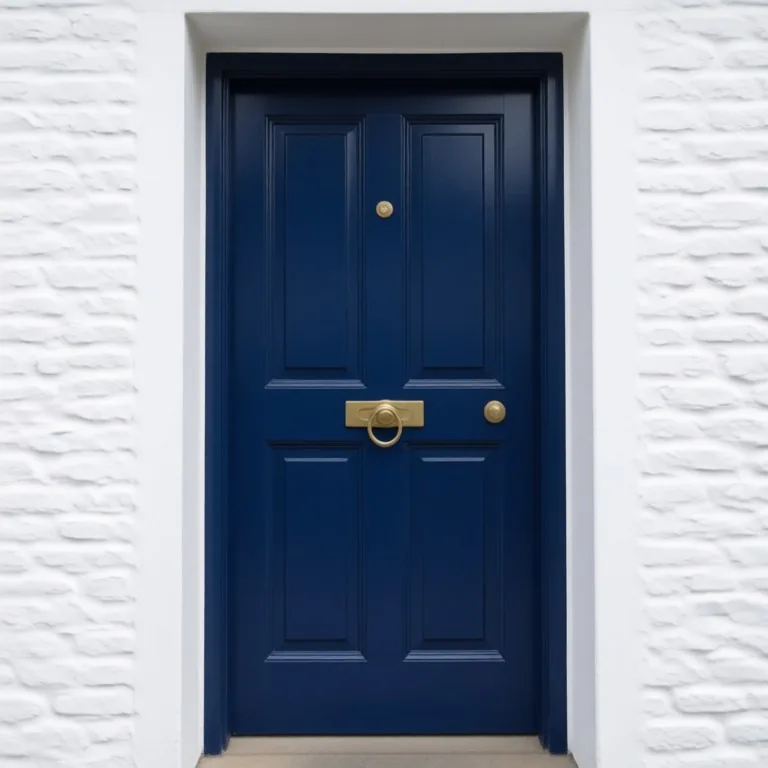
Door Color Changer after — Varnished wooden front door painted navy blue, with the brass knocker keptAfter
Varnished wooden front door painted navy blue, with the brass knocker kept

Try these popular edits:

Make the front door greenPaint the door a deep redTurn the door into matte grayChange the door to pastel yellow

Why use Door Color Changer?

✨
Door Color Changer
Easily change a door’s color in any photo to any shade you want, for homeowners, designers and real‑estate agents.
🔄
Before & After Preview
See exactly how Door Color Changer transforms your photo — compare original and edited side by side.
🆓
Free to Use
Door Color Changer is free with no watermarks and no account required — edit as many photos as you like.
☁️
No Download Needed
Works entirely in your browser — no app or software installation required.

How it works

1
Upload Your Image
Select or drag & drop any photo you want to edit
2
Describe the Change
Tell the AI what to change in plain language
3
Get Instant Results
Download your edited image in seconds

The Door Color Changer lets you replace the color of a door in any photo with a single click. It’s free, needs no signup, and works in seconds. Ideal for homeowners, interior designers and real‑estate listings.

How It Works

The tool identifies the door area, separates it from the background and applies the new color. It keeps shadows, highlights and texture realistic, so the result blends naturally with the rest of the image. No manual masking or layers required.

Tips for Best Results

Use a photo where the door is in focus and clearly visible. Avoid overly busy backgrounds that make it hard to isolate the door. Good lighting helps the AI preserve shadows and highlights accurately.

Who Can Benefit

Homeowners who want to preview paint options, interior designers showcasing color schemes, real‑estate agents updating listing photos, and DIY enthusiasts experimenting with door colors.

Change door color online: shades to try on your door

Upload a photo of a front door, a garage door or an inside door and name a color: "forest green", "navy blue", "classic black", "deep red", "sage green" or "pale yellow". The door color changer repaints only the door and keeps the handle, knocker, glass, frame and walls as they are, with the same light and shadows. Try a few shades on the same photo before you buy paint.

Frequently asked questions

Ready to try Door Color Changer?

Free, instant, and no signup needed.